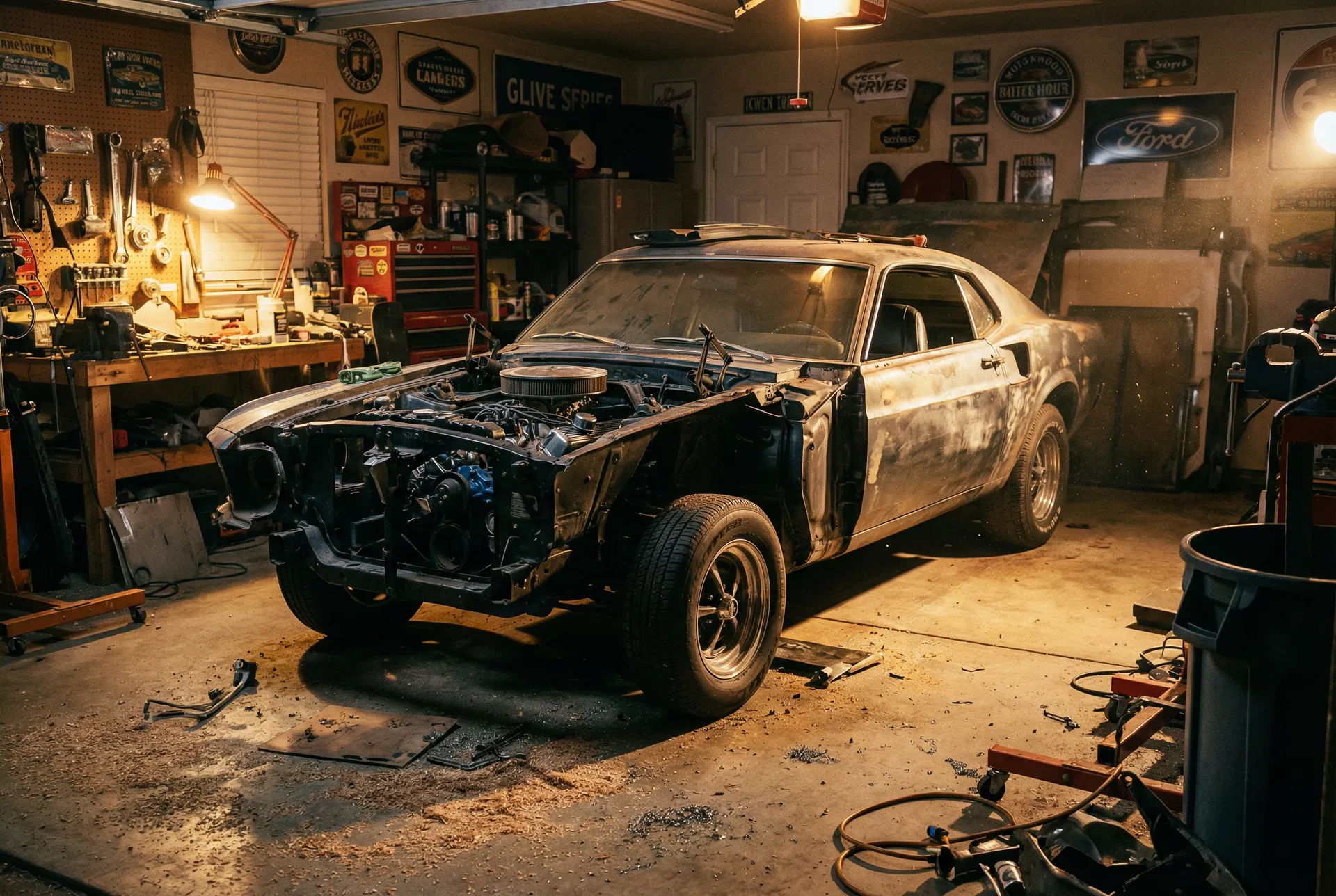
How to Read and Clear OBD2 Codes: Complete Guide to Check Engine Light Diagnosis
How to Read and Clear OBD2 Codes: Complete Guide to Check Engine Light Diagnosis
Reading and clearing OBD2 codes is the essential first step in diagnosing and resolving issues indicated by your vehicle's Check Engine Light (CEL). For DIY mechanics, understanding this process empowers you to pinpoint problems, save diagnostic costs, and maintain your project car or daily driver with confidence, preventing minor issues from escalating into major repairs.
Table of Contents
- Understanding the OBD2 System: Your Car's Diagnostic Language
- Essential Tools for Reading OBD2 Codes
- Step-by-Step Guide: How to Read OBD2 Codes
- Deciphering Your Diagnostic Trouble Codes (DTCs)
- When and How to Clear OBD2 Codes Safely
- Common OBD2 Codes and Their Implications
- Advanced Tips for Check Engine Light Diagnosis
Understanding the OBD2 System: Your Car's Diagnostic Language
The On-Board Diagnostics, Second Generation (OBD2) system is a standardized computer system found in all cars and light trucks sold in the United States since 1996, and in most vehicles globally since the early 2000s. Think of it as your vehicle's internal doctor, constantly monitoring various systems like the engine, transmission, and emissions controls. When a sensor detects an anomaly or a component operates outside its specified parameters, the OBD2 system stores a Diagnostic Trouble Code (DTC) and illuminates the Check Engine Light (CEL) on your dashboard. This system is a game-changer for DIY mechanics, providing a direct window into your car's health. Before OBD2, diagnosing engine issues often involved complex, brand-specific procedures and specialized tools. Now, with a universal port and standardized codes, anyone with an affordable scanner can begin to understand what their car is trying to tell them.
What is OBD2 and Why Does it Matter?
OBD2 isn't just about the Check Engine Light; it's a comprehensive network of sensors, actuators, and a central Engine Control Unit (ECU) or Powertrain Control Module (PCM). This system monitors everything from fuel trim and oxygen sensor readings to misfire counts and catalytic converter efficiency. Its primary purpose, mandated by environmental regulations, is to ensure vehicles meet emission standards throughout their operational life. For us home builders and DIY mechanics, the real value lies in its diagnostic capabilities. When that dreaded CEL comes on, it's not just a warning; it's an invitation to investigate. The OBD2 system provides the specific code that points to the area of concern, saving countless hours of guesswork and potentially expensive diagnostic fees at a professional shop. Understanding the basics of OBD2 is the foundation for any serious automotive enthusiast looking to tackle their own repairs. It allows you to move beyond simply reacting to problems and empowers you to proactively maintain your vehicle.
The Check Engine Light (CEL) Explained
The Check Engine Light, also known as the Malfunction Indicator Lamp (MIL), is the most visible sign that your OBD2 system has detected an issue. It can illuminate in two primary ways: steadily or flashing. A steady light typically indicates a non-critical but persistent problem that requires attention soon. This could be anything from a loose gas cap (yes, seriously!) to a faulty oxygen sensor or a minor emissions leak. While it might not require immediate roadside assistance, ignoring a steady CEL can lead to decreased fuel economy, increased emissions, and potentially more severe damage over time if the underlying issue isn't addressed. A flashing CEL, however, is a much more serious warning. This usually signifies a severe misfire or another critical engine problem that could cause immediate and irreversible damage to expensive components like the catalytic converter. If your CEL is flashing, you should reduce speed, avoid heavy acceleration, and get the vehicle checked out as soon as safely possible, ideally by pulling over and shutting off the engine until you can diagnose it.
Common Causes for a Check Engine Light
The reasons for a Check Engine Light can range from incredibly simple to complex. Knowing some of the most common culprits can help you prioritize your diagnostic efforts. One of the most frequent and often overlooked causes is a loose, damaged, or missing gas cap. This can trigger an evaporative emissions (EVAP) system leak code. Other common issues include faulty oxygen sensors, which monitor the exhaust gases to optimize fuel mixture; a failing catalytic converter, a crucial component for reducing harmful emissions; spark plug or ignition coil problems leading to engine misfires; and mass airflow (MAF) sensor issues, which measure the amount of air entering the engine. Less common but still possible causes include vacuum leaks, exhaust gas recirculation (EGR) valve problems, and issues with the transmission or other auxiliary systems. The beauty of the OBD2 system is that it doesn't just tell you that there's a problem, but provides a specific code that narrows down where the problem likely lies, making your diagnostic journey significantly more efficient.
Essential Tools for Reading OBD2 Codes
To effectively read and clear OBD2 codes, you'll need the right diagnostic tools. Gone are the days of needing expensive, proprietary dealer scanners. Today, there's a wide range of affordable and capable options available to the DIY mechanic, from basic code readers to advanced diagnostic scan tools. Choosing the right tool depends on your budget, your technical comfort level, and the depth of information you need for your project car. For most home builders, a good quality mid-range scanner strikes the perfect balance between cost and functionality.
Basic Code Readers vs. Advanced Scan Tools
The world of OBD2 scanners can be broadly categorized into two types: basic code readers and advanced scan tools.
Basic Code Readers:
- Pros: Inexpensive (often under $50), very easy to use, simply plugs in and displays codes and sometimes clears them. Great for quickly checking a CEL.
- Cons: Limited functionality. Typically only displays the DTC number (e.g., P0420) and a generic description. Does not show live data, freeze frame data, or advanced diagnostics.
- Best for: Quick checks, confirming a loose gas cap, or for those who prefer to take their car to a professional after getting the code.
Advanced Scan Tools:
- Pros: Offers extensive features including live data streams (RPM, coolant temp, O2 sensor readings), freeze frame data (snapshot of engine conditions when the code was set), graphing capabilities, readiness monitor status, and often manufacturer-specific codes. Some can perform bi-directional controls (e.g., commanding components to turn on/off).
- Cons: More expensive (ranging from $100 to several hundred dollars), can have a steeper learning curve due to the abundance of data.
- Best for: Serious DIY mechanics, project car builders, and those who want to perform in-depth diagnostics and understand their vehicle's systems thoroughly.
For the serious DIYer, investing in an advanced scan tool is highly recommended. The ability to view live data is invaluable for diagnosing intermittent issues or verifying repairs.
🔧 Recommended Tool: Innova 3100RS OBD2 Scanner
This mid-range scanner offers a great balance of features for DIY mechanics, including reading and clearing codes, live data, freeze frame data, and battery/alternator tests. It's user-friendly and provides valuable insights beyond just the code itself.
[Amazon link: https://www.amazon.com/dp/B00HHKZ1GK?tag=seperts-20]
Where to Find the OBD2 Port
Locating the OBD2 diagnostic port is usually straightforward. In almost all vehicles, the port is located within the passenger compartment, typically on the driver's side. The most common location is under the dashboard, often beneath the steering column or near the center console. Sometimes it can be hidden behind a small removable panel or flap. It's a 16-pin trapezoidal connector, distinct from older, round diagnostic ports. If you're having trouble finding it, consult your vehicle's owner's manual; it will have a diagram showing the exact location. Once you find it, ensure the area is clean and free of debris before plugging in your scanner. The connection must be secure for the scanner to communicate properly with the vehicle's ECU.
Essential Accessories and Software
While the scanner itself is the main tool, a few accessories and software considerations can enhance your diagnostic capabilities.
- USB Cable/Bluetooth: Many advanced scanners come with a USB cable to connect to a computer for updates or to print reports. Bluetooth-enabled scanners pair with your smartphone or tablet, utilizing dedicated apps that often offer more intuitive interfaces and cloud-based code definitions.
- Vehicle-Specific Repair Manuals: While not strictly an "accessory" for the scanner, a good repair manual (like Haynes or Chilton) or access to online repair databases (e.g., AllDataDIY, Mitchell 1 DIY) is crucial. These resources provide wiring diagrams, component locations, diagnostic flowcharts, and manufacturer-specific information that generic code descriptions won't offer.
- Multimeter: For truly advanced diagnostics, a digital multimeter is indispensable. Once your scanner points to a faulty sensor or circuit, a multimeter allows you to test voltage, resistance, and continuity to confirm the problem.
- Internet Access: For researching DTCs and potential solutions, reliable internet access is key. Many online forums, manufacturer technical service bulletins (TSBs), and general automotive repair websites can provide valuable context for the codes you read. Remember, the code tells you what system has a problem, but research helps you understand why and how to fix it.
Step-by-Step Guide: How to Read OBD2 Codes
Reading OBD2 codes is a fundamental skill for any DIY mechanic. It's a simple process that can yield a wealth of information about your vehicle's health. Follow these steps carefully to ensure you get accurate readings and avoid any potential issues. This process is largely universal across all OBD2-compliant vehicles.
Step 1 of 5: Prepare Your Vehicle and Scanner
Before you even plug in your scanner, take a few moments to prepare. Ensure your vehicle's ignition is turned off. This prevents any potential electrical glitches or damage to the scanner or ECU during connection. Locate your vehicle's OBD2 port, typically under the dashboard on the driver's side. Make sure the port is clean and free of any obstructions. Next, prepare your scanner. If it's battery-powered, ensure the batteries are fresh or fully charged. If it's an app-based Bluetooth scanner, make sure your phone or tablet is charged and the app is installed and updated. Familiarize yourself with the scanner's basic controls – power button, navigation buttons, and the main display. This preparation step ensures a smooth and reliable connection.
Step 2 of 5: Connect the Scanner to the OBD2 Port
With the vehicle off, firmly plug the scanner's cable into the OBD2 port. The connector is designed to fit only one way, so don't force it. You should feel a secure click or connection. Once connected, turn your vehicle's ignition key to the "ON" position (without starting the engine). For push-button start vehicles, press the start button twice without pressing the brake pedal. This powers up the vehicle's electrical system and, crucially, the ECU, allowing the scanner to communicate. Most scanners will power on automatically once connected and the ignition is on, displaying a welcome screen or prompting you to select your vehicle.
Step 3 of 5: Establish Communication and Select Vehicle
After connecting and turning the ignition on, your scanner will attempt to establish communication with the vehicle's ECU. This usually takes a few seconds. You might see messages like "Linking..." or "Establishing Communication..." on the scanner's screen. Once communication is established, some scanners will automatically detect your vehicle's VIN (Vehicle Identification Number) and year/make/model. Others might prompt you to manually enter this information. It's important to select the correct vehicle details, especially for more advanced scanners, as this can affect the accuracy of manufacturer-specific code definitions and live data parameters. Follow the on-screen prompts to confirm or enter your vehicle's information.
Step 4 of 5: Read Diagnostic Trouble Codes (DTCs)
Once communication is established and the vehicle is identified, navigate the scanner's menu to the "Read Codes" or "Trouble Codes" option. Press the appropriate button to initiate the scan. The scanner will then query the ECU for any stored Diagnostic Trouble Codes. This process usually takes a few seconds to a minute. The scanner will display the codes, typically starting with a letter (P for Powertrain, B for Body, C for Chassis, U for Network Communication) followed by four digits (e.g., P0420). Many scanners will also provide a brief generic description of the code (e.g., "Catalyst System Efficiency Below Threshold Bank 1"). Take note of all codes displayed, either by writing them down or using the scanner's save function if available.
Step 5 of 5: Record Codes and Freeze Frame Data
After reading the codes, it's crucial to record them accurately. Write down the full code (e.g., P0420) and its description. If your scanner offers "Freeze Frame Data," make sure to access and record this as well. Freeze frame data is a snapshot of various engine parameters (like RPM, vehicle speed, coolant temperature, fuel trim, etc.) at the exact moment the Check Engine Light was triggered. This information is invaluable for diagnosing intermittent problems, as it provides context for the fault. For example, if a misfire code (P030X) is set, the freeze frame might show it occurred at high RPM under heavy load, pointing towards a specific driving condition that triggers the fault. Without this context, diagnosing intermittent issues can be like searching for a needle in a haystack.
Deciphering Your Diagnostic Trouble Codes (DTCs)
Once you've read the OBD2 codes from your vehicle, the real diagnostic work begins: understanding what those codes mean. A DTC is not a direct instruction to replace a specific part; rather, it points to a system or circuit where a fault has been detected. Deciphering these codes correctly is crucial for accurate diagnosis and avoiding unnecessary parts replacement.
Understanding the DTC Structure
Every OBD2 Diagnostic Trouble Code follows a standardized five-character alphanumeric structure. Understanding this structure is the first step in deciphering what your car is telling you:
First Character (System Type):
- P (Powertrain): The most common type, relating to the engine, transmission, and associated emissions systems.
- B (Body): Relates to body functions like airbags, power steering, central locking, and electrical accessories.
- C (Chassis): Pertains to chassis systems like ABS (Anti-lock Braking System), traction control, and suspension.
- U (Network Communication): Indicates a fault in the communication between different control modules in the vehicle.
Second Character (Code Type):
- 0 (Generic): These are standardized codes defined by the Society of Automotive Engineers (SAE) and are common across all manufacturers.
- 1 (Manufacturer Specific): These codes are unique to a particular vehicle manufacturer and often require specific diagnostic information from that manufacturer.
- 2 (Generic): Another set of SAE standardized codes.
- 3 (Manufacturer Specific): Another set of manufacturer-specific codes.
Third Character (Sub-System): This digit narrows down the specific system or component within the broader category.
- P0xxx: Fuel and Air Metering
- P1xxx: Fuel and Air Metering (Manufacturer Specific)
- P2xxx: Fuel and Air Metering (Injector Circuit, etc.)
- P3xxx: Ignition System or Misfire
- P4xxx: Auxiliary Emissions Controls
- P5xxx: Vehicle Speed, Idle Control, and Auxiliary Inputs
- P6xxx: Computer Output Circuit
- P7xxx: Transmission
- P8xxx: Transmission
- P9xxx: Transmission
- PAxxx-PFxxx: Reserved for future use or manufacturer specific.
Fourth and Fifth Characters (Specific Fault Index): These two digits provide the precise fault description within the sub-system. For example, P0420 specifically refers to "Catalyst System Efficiency Below Threshold (Bank 1)."
By breaking down a code like P0301, you know it's a Powertrain (P), Generic (0), Ignition System/Misfire (3), and a specific fault index (01) indicating a misfire in cylinder 1. This structured approach helps you quickly understand the general area of concern.
Researching Generic vs. Manufacturer-Specific Codes
Once you have the codes, your next step is to research them.
- Generic Codes (P0xxx, P2xxx): These are relatively easy to research. A quick online search using the code (e.g., "P0420 meaning") will yield numerous results from automotive forums, repair sites, and diagnostic databases. Your scanner might also provide a basic description. These codes are consistent across all OBD2 vehicles.
- Manufacturer-Specific Codes (P1xxx, P3xxx, B1xxx, C1xxx, U1xxx, etc.): These require a bit more effort. While your scanner might provide a generic description, the specific nuances and diagnostic procedures often differ significantly between manufacturers. For these codes, it's best to:
- Consult your vehicle's repair manual: Haynes, Chilton, or factory service manuals are invaluable.
- Search online with your vehicle's year, make, model, and the code: For example, "2008 Honda Civic P1456 meaning."
- Check manufacturer-specific technical service bulletins (TSBs): These are official documents from the manufacturer detailing common problems and their solutions. Many online resources and professional diagnostic software provide access to TSBs.
Understanding the difference between generic and manufacturer-specific codes is critical. A generic description for a P1xxx code might be misleading if you don't cross-reference it with your specific vehicle's information.
What is Freeze Frame Data and How to Use It
Freeze Frame Data is one of the most powerful diagnostic features of an advanced OBD2 scanner. When a Diagnostic Trouble Code (DTC) is set and the Check Engine Light illuminates, the ECU captures a snapshot of various engine parameters at that precise moment. This "freeze frame" provides invaluable context for the fault.
Key parameters typically recorded in freeze frame data include:
- Engine RPM
- Vehicle Speed
- Coolant Temperature
- Fuel System Status (Open Loop/Closed Loop)
- Short Term Fuel Trim (STFT)
- Long Term Fuel Trim (LTFT)
- Manifold Absolute Pressure (MAP) or Mass Air Flow (MAF) sensor readings
- Oxygen Sensor Voltage
- Calculated Engine Load
- Throttle Position
How to use it:
Imagine you have a P0301 (Cylinder 1 Misfire) code. If the freeze frame data shows the misfire occurred at 4500 RPM, 80% engine load, and 190°F coolant temperature, this tells you the problem likely manifests under heavy acceleration when the engine is fully warmed up. This information helps you replicate the conditions for further testing or narrow down potential causes (e.g., spark plugs, ignition coils, or injectors that fail under high demand). Without freeze frame data, you might be chasing an intermittent misfire that only occurs under specific, hard-to-replicate conditions. Always review freeze frame data alongside your DTCs; it's like getting a detailed crime scene report for your engine's malfunction.
When and How to Clear OBD2 Codes Safely
Clearing OBD2 codes is often misunderstood. It's not a fix, but a diagnostic step that should be used judiciously. Wiping codes without addressing the underlying issue is like turning off a smoke alarm without putting out the fire – the problem will persist, and the light will inevitably return. However, there are specific situations where clearing codes is appropriate and necessary for proper diagnosis and repair.
When NOT to Clear Codes
The most important rule: Never clear codes immediately after they appear without first recording them and any associated freeze frame data. Clearing codes erases all stored diagnostic information from the ECU. This includes the DTCs themselves, the freeze frame data, and the status of the vehicle's readiness monitors.
- Loss of Diagnostic Information: Without the codes and freeze frame, you lose crucial clues about what went wrong. If the CEL comes back on, you'll have to start your diagnosis from scratch.
- Hiding the Problem: Clearing codes might turn off the Check Engine Light temporarily, but it doesn't fix the underlying mechanical or electrical issue. The light will almost certainly return, often after a specific number of drive cycles or when the fault reoccurs.
- Emissions Test Failure: Clearing codes also resets the "readiness monitors." These are self-tests the ECU performs on various emissions systems. For a vehicle to pass an emissions test, most or all of these monitors must be "complete" or "ready." After clearing codes, it can take several drive cycles (sometimes hundreds of miles under specific driving conditions) for all monitors to reset to a "ready" state. If you clear codes right before an emissions test, your vehicle will likely fail due to "not ready" monitors.
Always diagnose the code first, understand its implications, and perform necessary repairs before considering clearing the codes.
Appropriate Times to Clear Codes
While not a fix, there are valid reasons to clear OBD2 codes:
- After a Confirmed Repair: This is the most common and appropriate time. Once you've diagnosed the problem, replaced the faulty part, or performed the necessary repair, clearing the codes confirms that your fix has resolved the issue. After clearing, drive the vehicle to see if the CEL returns. If it stays off, you've likely succeeded.
- To Verify a Repair: Sometimes, you might perform a repair that doesn't immediately turn off the CEL (e.g., a loose gas cap that takes several drive cycles to self-correct). Clearing the code allows the ECU to re-run its diagnostic tests. If the code doesn't reappear, the repair was successful.
- To Reset Readiness Monitors (with caution): If you've replaced a battery or performed a repair that requires the ECU to re-learn certain parameters, clearing codes will reset the readiness monitors. However, remember the emissions test implications mentioned above. Only do this if you understand the consequences and have time for the drive cycle to complete.
- For Intermittent Faults (for diagnostic purposes): In some rare cases, if you have an intermittent fault that occurs very rarely and you're struggling to diagnose it, clearing the codes and driving the vehicle might help pinpoint the exact conditions under which the fault reappears, especially if you're monitoring live data. This is an advanced technique and should be used with a clear diagnostic plan.
Step-by-Step: How to Clear OBD2 Codes
Clearing codes is typically a simple process using your OBD2 scanner.
- Ensure Ignition is ON, Engine OFF: Just like reading codes, the ignition should be in the "ON" position, but the engine should not be running.
- Connect Your Scanner: Plug your OBD2 scanner into the diagnostic port.
- Establish Communication: Allow the scanner to link with the vehicle's ECU.
- Navigate to "Erase Codes" or "Clear DTCs": Using your scanner's menu, find the option to clear or erase codes. It might be under a "Diagnostic" or "Setup" menu.
- Confirm Action: The scanner will usually ask for confirmation (e.g., "Are you sure you want to erase codes?"). Confirm your choice.
- Wait for Confirmation: The scanner will display a message confirming that the codes have been successfully cleared. The Check Engine Light on your dashboard should turn off.
- Disconnect Scanner: Once confirmed, you can turn off the ignition and disconnect the scanner.
After clearing codes, it's a good practice to take the vehicle for a drive cycle to allow the ECU to re-run its diagnostic tests and set the readiness monitors. This also helps confirm that your repair was successful and the code doesn't immediately return.
🔧 Recommended Tool: NOCO Boost Plus GB40 Jump Starter
While not directly for reading codes, a reliable jump starter is invaluable for any DIY mechanic. Sometimes a low battery can cause erratic electrical issues or even trigger false codes. This compact unit can get you started and back to diagnosing.
[Amazon link: https://www.amazon.com/dp/B015TKUPIC?tag=seperts-20]
Common OBD2 Codes and Their Implications
Understanding common OBD2 codes is like learning the basic vocabulary of your car's diagnostic language. While there are thousands of possible codes, a handful appear with much greater frequency. Familiarizing yourself with these can significantly speed up your diagnostic process and help you prioritize repairs. Remember, a code points to a problem area, not always the exact faulty part.
P0420: Catalyst System Efficiency Below Threshold (Bank 1)
Meaning: This is one of the most common codes, indicating that the catalytic converter on Bank 1 (the side of the engine with cylinder #1, or the only bank on a 4-cylinder) is not operating efficiently enough. It's failing to convert harmful exhaust gases into less toxic ones as effectively as it should.
Implications for DIY Mechanics:
- Not always the catalytic converter: While it points to the catalytic converter, often the root cause is upstream. A failing oxygen sensor (especially the pre-catalytic converter sensor), exhaust leaks, or engine misfires that introduce unburnt fuel into the exhaust can damage the catalyst or fool the ECU into thinking it's bad.
- Diagnosis: Check for exhaust leaks, inspect oxygen sensors for proper function (using live data), and ensure the engine is running smoothly without misfires. Only after ruling out these issues should you consider replacing the catalytic converter, which can be an expensive repair.
- Consequences: Increased emissions, potential failure of emissions tests, and reduced engine performance over time.
P030X: Misfire Detected (X refers to cylinder number)
Meaning: This code indicates that one or more cylinders are not firing correctly. P0301 means a misfire in cylinder 1, P0302 for cylinder 2, and so on. P0300 indicates a random or multiple cylinder misfire.
Implications for DIY Mechanics:
- Common Causes: Misfires are typically caused by issues with the "air, fuel, or spark" triangle in a specific cylinder.
- Spark: Worn spark plugs, faulty ignition coils, cracked spark plug wires.
- Fuel: Clogged fuel injector, low fuel pressure, dirty fuel filter.
- Air/Compression: Vacuum leak near the cylinder, low engine compression (due to worn piston rings, burnt valve, or head gasket issue).
- Diagnosis: Start with the easiest and cheapest: inspect spark plugs and ignition coils. If those are good, check fuel injector operation (e.g., using a stethoscope to listen for clicking). Use live data to monitor misfire counts per cylinder. A compression test can rule out mechanical engine issues.
- Consequences: Reduced engine power, poor fuel economy, rough idling, and if severe, a flashing CEL indicating potential damage to the catalytic converter from unburnt fuel.
P0171/P0174: System Too Lean (Bank 1/Bank 2)
Meaning: These codes indicate that the engine's air-fuel mixture is too lean, meaning there's too much air or not enough fuel entering the combustion chamber. P0171 refers to Bank 1, P0174 to Bank 2 (on V6/V8 engines).
Implications for DIY Mechanics:
- Common Causes:
- Vacuum Leaks: The most frequent cause. Check all vacuum lines, intake manifold gaskets, and PCV valve for cracks or disconnections.
- Mass Air Flow (MAF) Sensor: A dirty or faulty MAF sensor can report incorrect air intake, leading the ECU to inject less fuel than needed.
- Fuel Delivery Issues: Clogged fuel filter, weak fuel pump, or dirty/failing fuel injectors can all cause insufficient fuel delivery.
- Exhaust Leaks: Leaks before the oxygen sensor can cause it to read too much oxygen, leading the ECU to lean out the mixture.
- Diagnosis: Use a smoke machine to find vacuum leaks. Clean or test the MAF sensor. Check fuel pressure. Monitor fuel trims (Short Term and Long Term) with live data; positive fuel trims indicate the ECU is adding fuel to compensate for a lean condition.
- Consequences: Poor engine performance, hesitation, rough idle, reduced fuel economy, and potential long-term engine damage if left unaddressed.
P0440/P0442/P0455: Evaporative Emission Control System Leak Detected
Meaning: These codes relate to leaks in the EVAP system, which is designed to capture fuel vapors from the gas tank and route them to the engine to be burned.
- P0440: General EVAP system malfunction.
- P0442: Small leak detected.
- P0455: Large leak detected.
Implications for DIY Mechanics: - Common Causes:
- Loose or Faulty Gas Cap: This is by far the most common cause, especially for P0442. Always check and retighten your gas cap first!
- Cracked or Disconnected EVAP Hoses: Over time, rubber hoses can crack or become dislodged.
- Faulty Purge Valve or Vent Valve: These valves control the flow of fuel vapors. If stuck open or closed, they can cause leaks or system malfunctions.
- Charcoal Canister: Damage to the canister itself.
- Diagnosis: Start with the gas cap. Visually inspect all accessible EVAP lines and components for damage. A smoke test is the most effective way to find small EVAP leaks.
- Consequences: Increased emissions, potential failure of emissions tests. Typically, these codes do not affect engine performance.
P0133/P0135: O2 Sensor Circuit Slow Response/Heater Circuit Malfunction (Bank 1, Sensor 1)
Meaning: These codes indicate issues with the oxygen (O2) sensor, which measures the oxygen content in the exhaust gases to help the ECU adjust the air-fuel mixture.
- P0133: The O2 sensor is responding too slowly to changes in exhaust gas composition.
- P0135: The O2 sensor's heater circuit is malfunctioning. O2 sensors need to reach a high temperature to operate effectively, and a heater circuit helps them get there quickly.
Implications for DIY Mechanics: - Common Causes:
- P0133: A worn-out O2 sensor (they have a finite lifespan), exhaust leaks near the sensor, or wiring issues.
- P0135: A faulty O2 sensor heater element, wiring issues (open or short circuit) to the heater, or a blown fuse.
- Diagnosis: For P0133, monitor the O2 sensor's voltage output with live data. It should fluctuate rapidly. If it's sluggish, the sensor is likely failing. For P0135, check the sensor's resistance and wiring for continuity.
- Consequences: Poor fuel economy, increased emissions, and potentially other related codes (like P0420) if the ECU can't accurately adjust the air-fuel mixture. Replacing a faulty O2 sensor is a common and relatively straightforward repair.
Advanced Tips for Check Engine Light Diagnosis
Once you're comfortable reading and clearing codes, you can elevate your diagnostic game with more advanced techniques. These tips will help you move beyond simply replacing parts based on a code and truly understand the root cause of issues, saving you time and money in the long run.
Using Live Data for Deeper Insights
Live data is arguably the most powerful feature of an advanced OBD2 scan tool. While a DTC tells you what system has a problem, live data shows you how that system is currently performing in real-time. This dynamic information is crucial for diagnosing intermittent issues, verifying repairs, and understanding the complex interplay of engine sensors.
What to look for in live data:
- Fuel Trims (STFT & LTFT): These indicate how much the ECU is adding or subtracting fuel to maintain the ideal air-fuel ratio. High positive numbers (e.g., +15% or more) suggest a lean condition (too much air/not enough fuel), while high negative numbers (e.g., -15% or more) suggest a rich condition (too much fuel/not enough air).
- Oxygen Sensor Readings: Monitor the upstream (pre-catalyst) O2 sensors. They should fluctuate rapidly between rich (around 0.9V) and lean (around 0.1V) states. Downstream (post-catalyst) O2 sensors should show a relatively steady voltage, indicating the catalytic converter is working.
- MAF Sensor Readings: Check if the Mass Air Flow sensor readings increase smoothly with RPM. A flatline or erratic reading could indicate a faulty sensor.
- Coolant Temperature Sensor: Ensure it's reporting accurate temperatures. A faulty sensor can affect fuel delivery and fan operation.
- Engine RPM, Vehicle Speed, Throttle Position: These help you correlate symptoms with specific driving conditions.
- Misfire Counters: Some advanced scanners can show misfire counts per cylinder, helping you pinpoint which cylinder is consistently having issues.
How to use it: Drive the vehicle while monitoring relevant live data parameters. Look for values that are outside normal operating ranges, erratic, or don't respond as expected to throttle input. For example, if you have a P0171 (lean) code, observe the fuel trims. If they are consistently high positive, and you suspect a vacuum leak, spray some carb cleaner around vacuum lines and intake gaskets while watching the fuel trims. If they drop suddenly, you've found your leak.
Understanding Readiness Monitors and Drive Cycles
Readiness monitors are self-tests performed by the ECU on various emissions-related systems (e.g., EVAP, O2 sensor, catalytic converter, EGR). For a vehicle to pass an emissions inspection, these monitors must be "complete" or "ready." When you clear OBD2 codes, all readiness monitors are reset to "incomplete."
Why they matter: If you clear codes and immediately go for an emissions test, your vehicle will fail because the monitors aren't ready.
How to complete them: Each monitor requires specific "drive cycle" conditions to run and complete. These cycles vary by manufacturer and even by model, but generally involve a mix of:
- Cold start
- Idling for a few minutes
- Steady cruising at highway speeds for a period
- Stop-and-go driving
- Deceleration without braking
Your scanner can display the status of readiness monitors. After clearing codes, drive the vehicle through a variety of conditions until all monitors (except for possibly the EVAP monitor, which can be stubborn) show as "complete." Generic drive cycle procedures can be found online, or your vehicle's service manual might have specific instructions. This is a crucial step before any emissions inspection.
The Importance of Manufacturer-Specific Diagnostic Procedures
While OBD2 provides a universal framework, the devil is often in the details, especially with manufacturer-specific codes and complex systems. Generic code descriptions are a starting point, but they rarely provide the full picture.
Why go manufacturer-specific?
- Unique Code Definitions: A P1xxx code on a Ford might mean something entirely different on a Toyota.
- Specific Test Procedures: Manufacturers often have precise diagnostic flowcharts and test procedures for specific codes or symptoms. These might involve checking specific sensor voltages at certain points in a wiring harness, performing resistance checks on actuators, or using specialized scan tool functions (e.g., bi-directional controls).
- Component Locations and Wiring Diagrams: Factory service manuals provide detailed wiring diagrams and component locations that are essential for accurate testing.
- Technical Service Bulletins (TSBs): These are issued by the manufacturer to address known common problems, often with updated diagnostic steps or revised parts. Checking TSBs for your vehicle and code can save you hours of troubleshooting.
Accessing manufacturer-specific information often requires investing in a subscription to an online service (like AllDataDIY or Mitchell 1 DIY) or purchasing a factory service manual. For a serious project car builder, this investment is invaluable and will pay for itself many times over by preventing misdiagnoses and unnecessary parts replacements. Don't rely solely on generic information when tackling complex issues.
Frequently Asked Questions
Q: Can a loose gas cap really cause the Check Engine Light to come on?
A: Yes, absolutely. A loose or faulty gas cap can cause a leak in the evaporative emissions (EVAP) system, which the OBD2 system monitors. This will often trigger codes like P0440, P0442, or P0455. Always check and tighten your gas cap as a first step when the CEL illuminates, especially for EVAP-related codes.
Q: Is it safe to drive with the Check Engine Light on?
A: It depends on how the light is illuminated. A steady Check Engine Light usually indicates a non-critical issue that should be addressed soon but typically won't cause immediate damage. However, a flashing Check Engine Light is a serious warning, often indicating a severe misfire that could rapidly damage the catalytic converter. If the light is flashing, you should reduce speed, avoid heavy acceleration, and get the vehicle checked immediately.
Q: How long does it take for the Check Engine Light to reset after a repair?
A: If the repair successfully resolves the issue, the Check Engine Light will usually turn off on its own after a certain number of "drive cycles" where the system passes its self-tests (typically 3-5 drive cycles). However, you can manually clear the codes with an OBD2 scanner immediately after the repair to confirm the fix and turn off the light.
Q: What are readiness monitors, and why are they important?
A: Readiness monitors are self-tests performed by your vehicle's computer on various emissions control systems. They are important because for a vehicle to pass an emissions inspection, most or all of these monitors must be "complete" or "ready." Clearing OBD2 codes resets these monitors, and it can take several drive cycles for them to become "ready" again.
Q: Can a dead battery cause a Check Engine Light?
A: While a dead battery itself won't directly trigger a CEL, a weak or dying battery can cause low voltage issues throughout the electrical system. This can sometimes lead to erratic sensor readings or module communication errors, which can in turn trigger various OBD2 codes and illuminate the CEL. It's always a good idea to ensure your battery and charging system are in good health.
Q: What's the difference between a P0301 and a P0300 code?
A: A P0301 code indicates a misfire specifically detected in Cylinder 1. The last digit "1" refers to the cylinder number. A P0300 code, on the other hand, signifies a "Random/Multiple Cylinder Misfire." This means the ECU detects misfires but can't pinpoint a single cylinder, or misfires are occurring across several cylinders intermittently.
Q: Should I buy an expensive scanner or a cheap one?
A: For basic code reading and clearing, a cheap code reader (under $50) is sufficient. However, for serious DIY mechanics and project car builders, investing in a mid-range to advanced scan tool (typically $100-$300) is highly recommended. These tools offer invaluable features like live data, freeze frame data, and readiness monitor status, which are essential for accurate diagnosis and troubleshooting beyond just reading a code.
Q: Where can I find reliable information about my specific car's OBD2 codes?
A: Beyond generic online searches, the most reliable sources are your vehicle's factory service manual, reputable online repair databases (like AllDataDIY or Mitchell 1 DIY, which often require a subscription), and manufacturer-specific technical service bulletins (TSBs). These resources provide detailed diagnostic procedures and wiring diagrams tailored to your specific make and model.
Conclusion
Mastering the art of reading and clearing OBD2 codes is an indispensable skill for any DIY mechanic or project car builder. It transforms the intimidating glow of the Check Engine Light into a valuable diagnostic signal, empowering you to understand your vehicle's issues, perform targeted repairs, and save significant money on professional diagnostics. From understanding the fundamental structure of DTCs to leveraging the power of live data and freeze frame information, you now have the knowledge to approach automotive problems with confidence.
Remember, the OBD2 system is a powerful tool, but it's just the first step in diagnosis. The codes point you in the right direction; your research, critical thinking, and hands-on testing are what ultimately lead to a successful repair. By diligently following the steps outlined, you'll not only fix the immediate problem but also deepen your understanding of your vehicle's complex systems, making you a more capable and self-reliant mechanic. Embrace the challenge, learn from each diagnostic journey, and keep those project cars running smoothly.
Ready to start your build? Use our free Project Car Budget Estimator to plan your project, or browse all our automotive guides for more expert advice.
This article contains Amazon affiliate links. If you purchase through them, AutoAnvil earns a small commission at no extra cost to you.
Recommended for This Topic
Amazon Affiliate
BIG RED Rotating Engine Stand
$109.99
Buy on Amazon
TEKTON Electronic Torque Wrench Set
$199.00
Buy on Amazon
Torin Big Red Mechanic Creeper
$39.99
Buy on AmazonAs an Amazon Associate, AutoAnvil earns from qualifying purchases at no extra cost to you.